Project
Merge Point
One player in a headset, the rest on phones, and a portal between them that only works if they talk.
- Team
- Tom Tang, Nandita Venkat, Nadia Youssef, Jingren Ma and me · the document’s cover lists the other four
- My part
- The multiplayer system meant to connect the Quest headset and a phone in one synced space
- Platform
- Meta Quest 3 (VR) and Android phones (AR)
- Interaction
- Asymmetric roles across devices: the VR player moves a portal window and feeds and repairs; phone players draw food and pass parts through it
- Status
- Design document, April 2025 · the team did not finish a running cross-platform prototype
- Built with
- Unity 2022.3, OpenXR, Meta XR SDK, Google ARCore
Overview
An intergalactic zoo train has crashed on an alien planet and the animals are loose. One player is on the planet in VR, on a Quest 3. The others are on phones in the real room, looking into that world through a passthrough portal window that the VR player carries and positions. The VR player has to keep the animals fed, keep the carnivores away from the herbivores, and repair the train; the phone players have the materials to do it with.
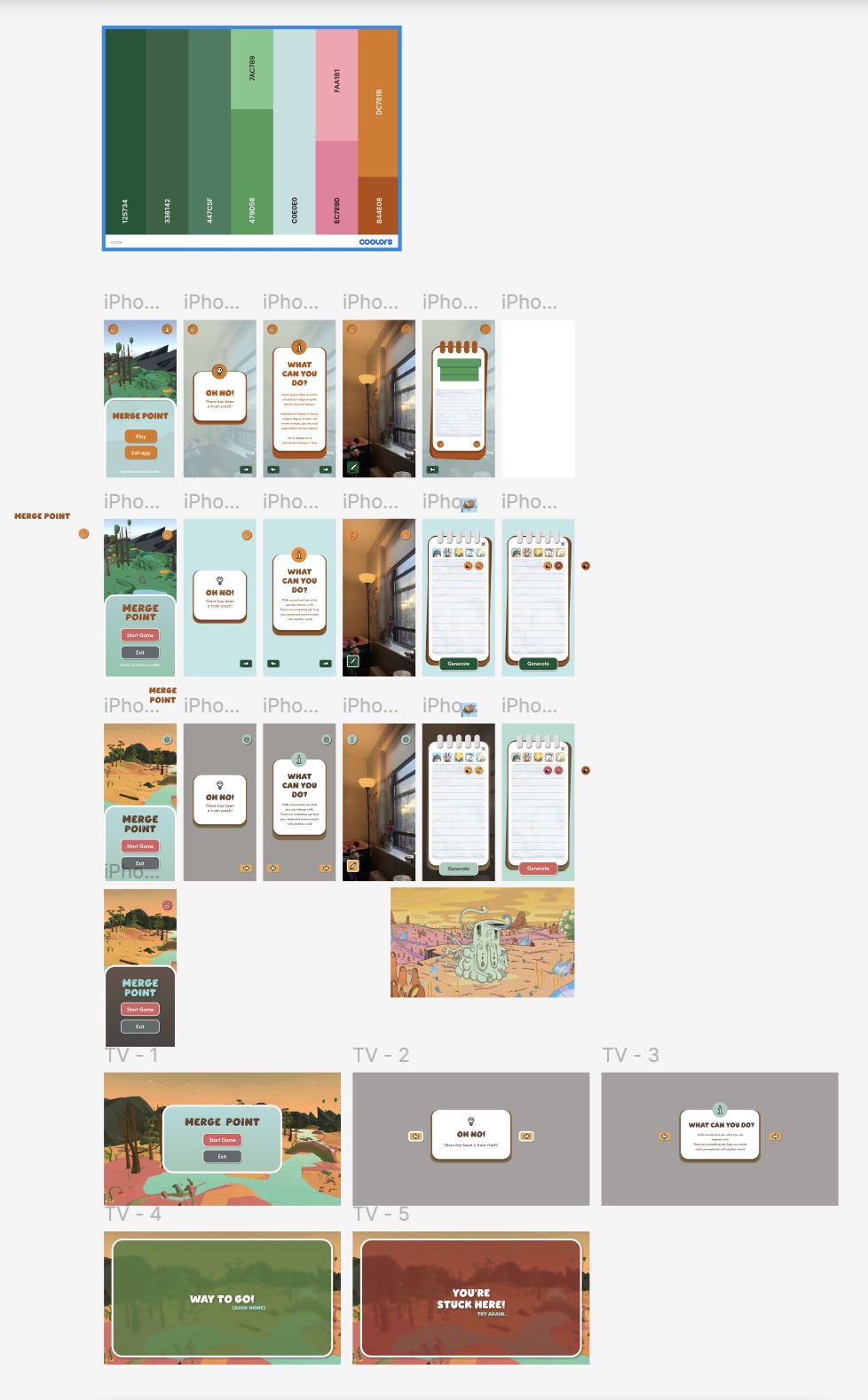
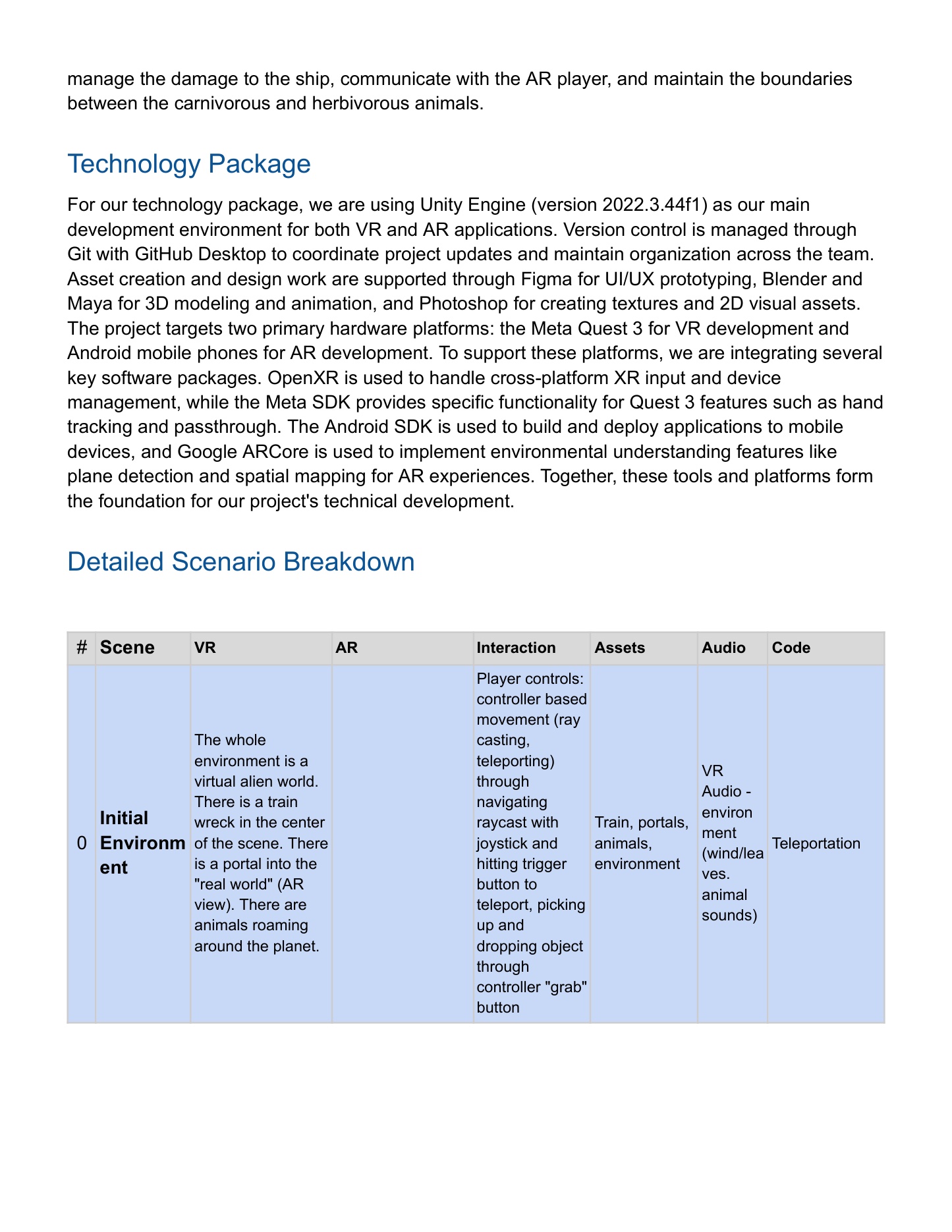
The interaction design is a split of abilities across devices. The VR player teleports by raycast, grabs with the controller, sees a hunger bar over each animal and a red highlight on damaged train parts, and fits a part where a green highlight shows it belongs. A phone player taps to pick up the train parts floating around their room, swipes them through the portal, and makes food by opening a whiteboard, choosing the hungry animal, and tracing a dotted sketch of what it eats — a steak for the lion — before tapping Create to turn it into a 3D object. Nothing tells either side what the other needs except talking: the scene table’s entry for that step reads “speaking out loud. use your mouth and ears”. The train fixed is a win; hunger run out and more than one animal eaten is a loss.
I worked on the multiplayer system meant to put the headset and the phone in one synced space — the part every other mechanic depends on, since the portal is only a window if both devices agree where things are. By the team’s own account in the design document, a running cross-platform prototype was not finished in time for proof-of-concept testing, so what is here is the design: the scene-by-scene interaction table, the colour explorations and the phone and TV interface screens.
Evidence
 Hover to enlarge · click for full size
  Hover to enlarge · click for full size
 Next
BOFUM
One ball, one maze, two players — and neither of them can do it alone.
Internship in the Afterlife
Your first day on the afterlife’s front desk: spell each soul’s name from memory, in a language you may not read.
See Reality
Hand-tracked mixed reality for people who have never worn a headset, running inside live guided tours — Boston, Lexington, Nashville, Atlantic Canada, Rome, Pompeii, Venice.
Inhabiting Memory
A VR family museum you enter on foot — real walking inside each room, hand-tracked teleport between them, built from interviews and tested against flat photographs.